
I am writing this post in response to seeing a lot of questions recently about making deposits. (If you are looking for information about making personal bank deposits, go to the top of the page and click on the Lexicon and look for “Bank Deposits.”) Even if you know how to make a deposit, you could copy this post into a word document and with a few changes, use it for a protocol for your office. So, here goes:
- Make sure all mail and checks that you receive are for your practice. It’s easier and less costly to return it to the sender if you catch the mistake on the front end, instead of refunding it after it has been deposited in error.
- Open the mail and separate the checks into four piles: (a) all insurance and other non-patient checks, (b) all patient checks, (c) all correspondence from insurance companies without checks, such as denials, “no-pays”, and requests for additional information, and (d) patient credit card payments.. Run two adding machine tapes each on the insurance check pile and the patient check pile to get an accurate total.
- Some practices receive checks for medical records, depositions, honorariums, call pay, etc. and handle these monies outside of the standard deposit protocol. Other practices handle them as a part of the process and post everything to a patient account or a dummy account specifically for non-service related revenue. Either way is fine if it works for your practice.
- Give the credit card payments to the person in your office who processes credit cards, and have them add these payments to your other credit card payments from over the counter. Once the credit card payments are successfully processed, give them to the billing clerk to post to the patient account on the computer. Be sure to always post patient payments ASAP (over the counter and mail) so patients don’t inadvertently receive a bill from the practice that does not reflect their recent payment.
- Give the insurance company correspondence to a billing clerk to process after stamping the date on each first page.
- If your office is big enough, split the duties between three people of (a) opening the mail and running two matching adding machine totals on the checks, (b) preparing the deposit and running a third matching tape total, and (c) posting the checks. Make sure all adding machines are set to count the number of items and that item numbers match on all tapes.
- Paperclip each check to its documentation. Recycle the envelopes. Some detailed people keep the envelopes with the patient checks until matching the address on the check and on the envelope and on the statement stub in case the patient has moved.
- Stamp today’s date on the paperwork and EOBs (Explanation of Benefits) that accompany the insurance checks. Give the EOBs and one tape to a billing clerk to post.
- There are two schools of thought at this point. One school believes that no check should be deposited without first posting it to the patient’s account in the computer. A second school (to which I belong) believes that the money should go right into the bank, and post the payments to the accounts within 2 business days.
- Some offices have the technology to scan all deposits and all EOBs, and some offices will choose to photocopy checks to use as reference documents. Some banks offer online images of deposited checks. Refer to my post on lockboxes and remote deposits for other options.
- Separate all insurance checks from their EOBs and stamp the back of the check (on the correct end) with your bank deposit information. Separate the patient checks from the statement stubs and stamp the back of the checks with your bank deposit information. Give the statement stubs to a billing clerk to post the patient payments, checking first that the information on the stub and the check match, including the amount paid.
- Deposit slips are carbonless and each deposit uses a set of two slips: one goes to the bank and one stays in the book. Look in the back of the book for the piece of cardboard that you use to slide behind the two slips to keep the writing from bleeding through.
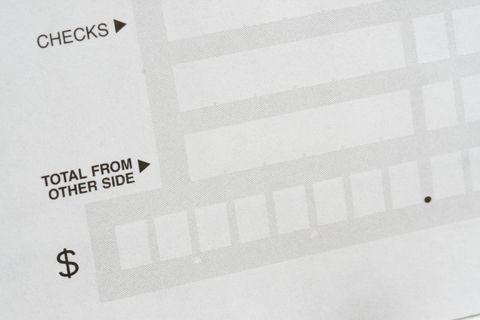
- Date the deposit slip. If you happened to have received cash in the mail, add the total of the cash where indicated on the slip. Run a third adding machine tape for the insurance checks and the patient checks, verifying the correct amounts, and fill in a total for each category (I do not recommend you list each check separately!), totaling at the bottom of the page, and filling in the number of items. Most deposit slips also have a place to fill in the total on one side of the deposit slip.
- Most banks charge by the number of deposits, so it is typical to make one large deposit, regardless of the number of checks in the deposit. Tear the top copy of the deposit slip off, put it on top of the checks, paperclip or rubber band the stack together and take it to the bank.
- Once you’ve made the deposit, bring the receipt back and tape it on the back of the deposit slip copy in the deposit book. Enter the amount of the deposit into your accounting system (Quickbooks, Peachtree, Great Plains, etc.)
- Rest until tomorrow’s mail arrives
Note: smaller or larger offices may use a simplified or a more sophistocated version of this process. Feel free to comment and let me know how you do it!